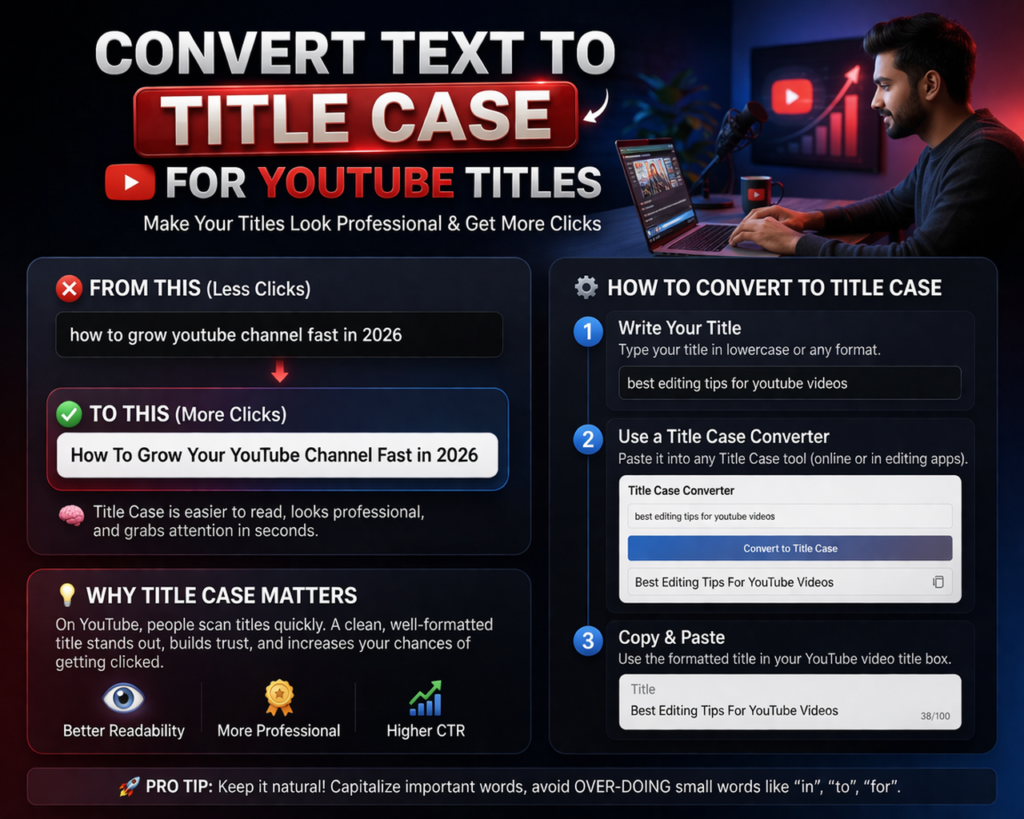
Creating the perfect YouTube title is more than just being creative it’s about presentation, readability, and SEO. One simple but powerful technique that many creators overlook is using Convert text to title case formatting. Converting your text into title case can instantly make your video titles look more professional, clickable, and optimized for search.
In this guide, you’ll learn what title case is, why it matters for YouTube, and how to easily convert your text into title case for better results.
What Is Title Case?
Title case is a capitalization style where the major words in a sentence are capitalized, while smaller words (like “and,” “the,” “of”) are usually lowercase unless they start or end the title.
Example:
- Normal text: how to grow your youtube channel fast
- Title case: How to Grow Your YouTube Channel Fast
This format is widely used in headlines, blog titles, and—most importantly—YouTube video titles.
Why Title Case Matters for YouTube Titles
1. Improves Click-Through Rate (CTR)
Well-formatted titles look cleaner and more professional, which builds trust and attracts more clicks.
2. Enhances Readability
Title case makes your content easier to scan, especially on mobile devices where most YouTube traffic comes from.
3. Boosts SEO Performance
While capitalization itself isn’t a ranking factor, better readability and higher CTR can indirectly improve your video’s performance in search results.
4. Creates a Professional Brand Image
Consistent formatting across your channel makes your content look polished and credible.
Title Case Rules You Should Follow
To convert text properly, follow these basic rules:
Capitalize:
- First and last word of the title
- Nouns, pronouns, verbs, adjectives, adverbs
- Important words (e.g., “Growth,” “Strategy,” “Tips”)
Do NOT Capitalize (unless at the beginning/end):
- Articles: a, an, the
- Conjunctions: and, but, or
- Prepositions: in, on, at, for, with
Examples of YouTube Titles in Title Case
- 10 Proven Ways to Grow Your YouTube Channel Fast
- How to Make Money Online Without Investment
- Best Video Editing Apps for Beginners in 2026
- Step-by-Step Guide to YouTube Automation
How to Convert Text to Title Case
Method 1: Manual Conversion
You can apply title case rules yourself by capitalizing important words. This works for short titles but can be time-consuming.
Method 2: Use Online Title Case Converters
There are many free tools available where you simply paste your text and get instant results.
Method 3: Use Word Processors
Tools like Google Docs or Microsoft Word offer capitalization options:
- Select your text
- Choose “Capitalize Each Word”
Method 4: Use Scripts or Extensions
If you frequently create content, browser extensions or small scripts can automate title case conversion.
Best Practices for YouTube Title Optimization
Title case is just one part of a strong YouTube title. Combine it with these tips:
1. Use Keywords Naturally
Include your main keyword in the title without stuffing.
2. Keep It Under 60 Characters
Shorter titles perform better and avoid getting cut off.
3. Add Power Words
Words like Ultimate, Proven, Best, and Easy can increase clicks.
4. Create Curiosity
Make viewers want to click by teasing value.
5. Stay Clear and Specific
Avoid vague titles be direct about what the video offers.
Common Mistakes to Avoid
- Writing everything in ALL CAPS
- Using inconsistent capitalization
- Overloading titles with keywords
- Making titles too long or confusing
Final Thoughts
Converting your text to title case for YouTube titles is a small change that can make a big difference. It improves readability, boosts your click-through rate, and gives your content a professional edge.
If you’re serious about growing your YouTube channel, don’t overlook formatting. Combine strong keywords, engaging phrasing, and proper title case and you’ll be on your way to better performance and more views.
Read Also
- How to Remove Special Characters from Text Online Free Without Login
- Convert Text Case In Html Content Quickly
- Convert Text Case for CSV Files Online – Accurate & Effortless
- Bulk Convert Text Case for Large Content
- How To Convert Mixed Case Text To Proper Case
- Fix Incorrect Capitalization In Copied Text Online
- Convert Text To Title Case For YouTube Titles: The Ultimate Guide
- Change Text Case in Notepad++ Easily (Guide With Real Use Cases)
- Convert Sentence Case In Bulk Online Free
- Convert Lowercase To Uppercase In Google Docs Automatically