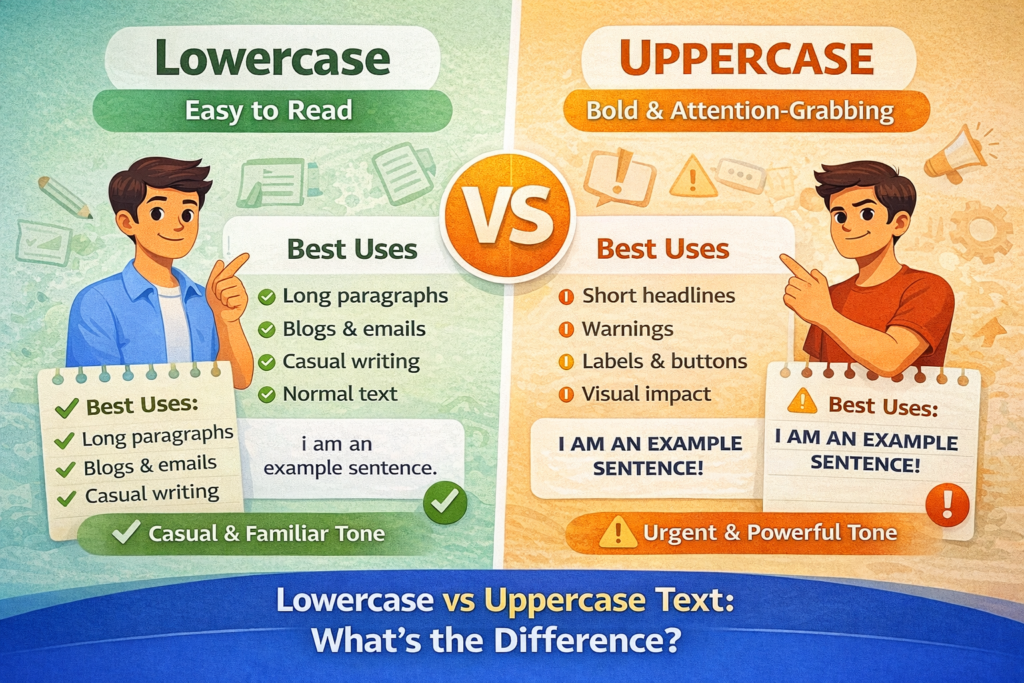
Text formatting might look like a small detail, but it plays a big role in readability, tone, and user experience. One of the most basic formatting choices we make every day is between Convert lowercase and UPPERCASE text.
But when should you use each one?
Does it affect readability?
And does it matter for SEO?
Let’s break it down in a simple, practical way.
What Is Uppercase Text?
Uppercase text means all letters are written in capital form.
Example:
- Grab attention
- Highlight warnings
- Create short headings
- Add emphasis
Because capital letters are visually strong, they stand out immediately.
What Is Lowercase Text?
Lowercase text means all letters are written in small letters.
Example:
Lowercase is commonly used for:
- Normal writing
- Casual messages
- Coding formats
- Text normalization
It feels softer and more natural when reading long content.
Key Differences Between Lowercase and Uppercase
| Feature | Uppercase | Lowercase |
|---|---|---|
| Visual Impact | Strong and bold | Soft and subtle |
| Readability | Harder in long text | Easier for paragraphs |
| Tone | Loud or urgent | Calm and natural |
| Best Use | Headings, alerts | Body text, casual writing |
The biggest difference comes down to readability and tone.
Which Is More Readable?
Research and user behavior show that lowercase (or sentence case) is easier to read in long paragraphs.
Why?
Because our brains recognize word shapes, not individual letters. When everything is in uppercase, the word shape becomes uniform, making it slightly harder to process.
For example:
- THIS PARAGRAPH IS HARDER TO READ QUICKLY.
- This paragraph is easier to read naturally.
For blogs, emails, and professional writing, lowercase or sentence case is usually the better choice.
When Should You Use Uppercase?
Uppercase works best in limited situations:
1. Short Headlines
Example:
2. Warnings
Example:
3. Buttons or Labels
Example:
4. Design Elements
Sometimes designers use uppercase for stylistic reasons.
However, using uppercase for full paragraphs can feel like shouting.
When Should You Use Lowercase?
Lowercase is ideal for:
- Long paragraphs
- Blog articles
- Emails
- Descriptions
- Academic writing
It feels more conversational and natural.
Even in SEO content, lowercase (or sentence case) improves user experience, which indirectly helps engagement metrics.
Does Uppercase vs Lowercase Affect SEO?
Directly? No.
Google does not rank content higher just because it is uppercase or lowercase.
Indirectly? Yes.
Here’s how:
- Proper formatting improves readability
- Better readability improves user engagement
- Better engagement can support SEO performance
For example, writing a blog title in ALL CAPS may look aggressive and reduce click-through rate. A properly formatted title looks more trustworthy.
Common Mistakes People Make
- Writing entire blog posts in ALL CAPS
- Using lowercase for professional headings
- Inconsistent formatting across the same page
- Mixing cases randomly
Consistency matters more than style preference.
Lowercase vs Uppercase in Real Life Examples
Blog Title
❌ HOW TO START A BLOG
✅ How to Start a Blog
Warning Message
❌ do not touch
✅ DO NOT TOUCH
Email Paragraph
❌ PLEASE SEND ME THE FILE ASAP.
✅ Please send me the file as soon as possible.
Context decides what works best.
Best Practice Recommendation
For most content:
- Use Sentence Case for paragraphs
- Use Title Case for blog headings
- Use UPPERCASE only for emphasis or alerts
- Avoid using all caps in long sections
This balance keeps content professional and easy to read.
How to Instantly Switch Between Lowercase and Uppercase
Instead of manually retyping text, you can use an online case converter tool to:
- Convert text to UPPERCASE
- Convert text to lowercase
- Apply Title Case
- Fix formatting in seconds
This saves time and ensures consistent formatting across your content.
Final Thoughts
Lowercase and uppercase text both have their place in writing. The key is knowing when to use each one. Uppercase grabs attention but can reduce readability if overused. Lowercase feels natural and is better for longer content. Good formatting isn’t about style alone it’s about clarity, user experience, and professionalism. When used correctly, the right text case makes your content easier to read, more polished, and more effective.
FAQs
Q: What is uppercase text?
A: Uppercase text means all letters are written in capital form.
Q: What is lowercase text?
A: Lowercase text means all letters are written in small letters.
Q: Which is more readable, uppercase or lowercase?
A: Lowercase (or sentence case) is easier to read in long content.
Q: When should I use uppercase text?
A: Uppercase works best for short headings, warnings, and emphasis.
Q: Does uppercase text affect SEO rankings?
A: No, but readability and formatting can influence user engagement
Read Also
- How to Remove Special Characters from Text Online Free Without Login
- Convert Text Case In Html Content Quickly
- Convert Text Case for CSV Files Online – Accurate & Effortless
- Bulk Convert Text Case for Large Content
- How To Convert Mixed Case Text To Proper Case
- Fix Incorrect Capitalization In Copied Text Online
- Convert Text To Title Case For YouTube Titles: The Ultimate Guide
- Change Text Case in Notepad++ Easily (Guide With Real Use Cases)
- Convert Sentence Case In Bulk Online Free
- Convert Lowercase To Uppercase In Google Docs Automatically