When writing online content, measuring text length is extremely important. Whether you’re writing a blog post, social media caption, academic essay, SEO meta description, or advertisement, different platforms require different content limits.
This is where Character Counter and Word Counter tools come into play.
Both tools are designed to analyze text, but they measure completely different things. Many writers, bloggers, and students often confuse these tools or assume they do the same job.
In this detailed guide, we will explain:
- What a character counter is
- What a word counter is
- The key differences between them
- When you should use each tool
- Why these tools are important for SEO and writing
By the end of this article, you’ll clearly understand Character Counter vs Word Counter and which tool is best for your needs.
What is a Character Counter?
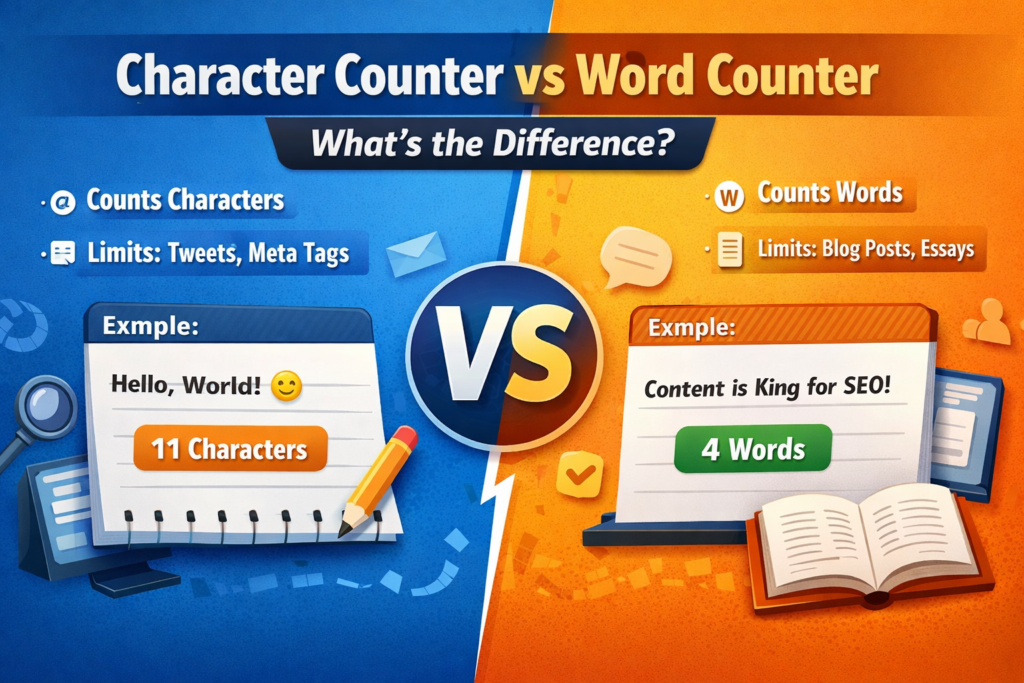
A Character Counter is a text analysis tool that calculates the total number of characters in a piece of text.
Characters include:
- Letters (A–Z)
- Numbers (0–9)
- Spaces
- Punctuation marks
- Symbols
For example:
Text example:
Hello World
Character count results may look like this:
Characters including spaces: 11
Characters excluding spaces: 10
Some advanced character counters also show:
- Characters with spaces
- Characters without spaces
- Total words
- Sentence count
Character counting is especially important when writing for platforms that enforce strict character limits.
Why Character Count Matters
Many online platforms limit the number of characters you can use. If you exceed those limits, your content might get cut off or rejected.
Here are some common examples:
Social Media Platforms
Social media platforms often have character restrictions:
- Twitter/X posts
- Instagram captions
- LinkedIn posts
- TikTok descriptions
A character counter helps ensure your message fits within the allowed space.
SEO Meta Tags
Search engines also display content based on character limits.
Typical SEO limits:
Meta title: around 50–60 characters
Meta description: around 150–160 characters
If you exceed these limits, search engines may truncate your text, which can reduce click-through rates.
Online Forms
Many websites restrict character length in:
- Username fields
- Profile descriptions
- Comments
- Product reviews
Using a character counter prevents submission errors.
What is a Word Counter?
A Word Counter is a tool that calculates the total number of words in a text.
A word is generally defined as a set of characters separated by spaces.
For example:
Text:
Content writing improves website rankings.
Word count results:
Total words: 4
Word counters are widely used for long-form writing, where content length is measured in words rather than characters.
Why Word Count Matters
Word count plays an important role in writing quality, readability, and SEO.
Here are some situations where word counting becomes important.
Blog Writing
Most blog posts require a minimum word count to provide useful information.
Typical blog lengths:
Short articles: 800–1000 words
Standard SEO posts: 1200–2000 words
In-depth guides: 2500+ words
Word counters help writers ensure they meet these targets.
Academic Writing
Students frequently use word counters when writing:
- Essays
- Research papers
- Assignments
- Reports
Educational institutions often set strict word limits, so accurate counting is necessary.
Freelance Writing
Freelancers are often paid per word. For example:
- $0.05 per word
- $0.10 per word
- $0.50 per word
A word counter helps track writing output and payment calculations.
Character Counter vs Word Counter: Key Differences
Although both tools analyze text, their purpose is very different.
Here is a clear comparison.
| Feature | Character Counter | Word Counter |
|---|---|---|
| Measures | Total characters | Total words |
| Includes | Letters, numbers, spaces, punctuation | Words separated by spaces |
| Best for | Short content limits | Long-form writing |
| Common users | SEO experts, social media managers | Bloggers, students, writers |
| Platform use | Twitter posts, meta tags | Blog posts, essays |
In simple terms:
Character Counter focuses on text length at the letter level, while Word Counter focuses on content length at the word level.
When Should You Use a Character Counter?
You should use a character counter whenever you are writing short-form content with strict limits.
Common examples include:
SEO Meta Tags
Search engines display only limited text.
Example limits:
Meta title: ~60 characters
Meta description: ~160 characters
Character counting helps prevent truncation.
Social Media Posts
Many social media platforms limit characters.
Examples include:
- Tweets
- Instagram bios
- YouTube titles
- TikTok captions
A character counter ensures your message stays within the allowed space.
Ad Copy
Digital advertising platforms also use character limits.
Examples include:
- Google Ads headlines
- Facebook ads
- PPC campaign descriptions
Precise character control improves ad performance.
When Should You Use a Word Counter?
A word counter becomes useful when writing long content where depth and detail matter.
Examples include:
Blog Articles
SEO articles often need 1000+ words to rank well in search engines.
Word counters help writers monitor article length and maintain balance.
Academic Assignments
Universities often require essays between 1500–3000 words.
Using a word counter ensures compliance with assignment requirements.
Content Marketing
Companies publish long-form content such as:
- Guides
- Case studies
- Tutorials
- White papers
Word counters help maintain consistency in publishing.
Why Bloggers and SEO Writers Use Both Tools
Professional writers rarely rely on just one tool. Instead, they use both character counters and word counters.
For example, a blogger writing an SEO article may need to manage multiple content elements:
- Blog article length: 1500 words
- SEO title: 60 characters
- Meta description: 160 characters
- Social media caption: 120 characters
Using both tools ensures that every part of the content is optimized.
Features of Modern Text Counting Tools
Today’s online text tools offer much more than basic counting.
Many tools now include additional features such as:
- Word counter
- Character counter
- Sentence counter
- Paragraph counter
- Reading time calculator
- Keyword density checker
- Text formatting tools
These features help writers create well-structured and SEO-optimized content.
How Text Counting Tools Improve Writing Efficiency
Using text counting tools can significantly improve writing workflow.
Better Content Planning
Knowing your word count helps structure your article properly.
SEO Optimization
Maintaining ideal title and description length improves search engine performance.
Faster Editing
Real-time counting allows writers to quickly adjust content length.
Professional Writing Standards
Writers can easily meet client or platform requirements.
FAQs
What is the difference between character count and word count?
A: Character count measures the number of individual characters in text, including letters, numbers, spaces, and punctuation. Word count measures the number of words separated by spaces.
Does a word counter count numbers as words?
A: In most cases, numbers separated by spaces are counted as words. For example, “2024 report” may count as two words.
Do spaces count in character counting?
A: Yes, most character counters include spaces. However, many tools also display counts with and without spaces.
Why do SEO experts care about character count?
A: SEO experts use character counters to optimize meta titles and meta descriptions, ensuring they fit within search engine display limits.
How many words should a blog post have for SEO?
A: Most SEO experts recommend writing 1000–2000 words for standard blog posts, while comprehensive guides may exceed 2500 words.
Conclusion
Understanding the difference between Character Counter and Word Counter is essential for anyone involved in writing, blogging, SEO, or digital marketing.
Character counters help manage short text limits, while word counters are useful for long-form content creation.
Both tools serve different purposes but work together to improve writing quality and efficiency.
Whether you’re creating SEO articles, academic essays, or social media posts, using the right counting tool ensures your content meets the required length and performs better online.
Read Also
- Best Ways to Clean Messy Text Online (Complete Guide for Fast Text Formatting)
- How to Remove Special Characters from Text Easily
- Character Counter vs Word Counter: What’s the Difference?
- Why Word Count Matters in Content Writing
- Word Count Tips for Bloggers and Students
- Best Free Word Counter Tools for Writers
- How to Count Words in an Essay Online
- What Is a Word Counter Tool and Why You Need It
- Difference Between Uppercase and Lowercase Text
- Difference Between Sentence Case and Title Case