Have you ever copied some text from a PDF or document and realized it needs to be in ALL CAPS? Or maybe you’re formatting a heading and want it to stand out instantly?
Instead of manually retyping everything, you can convert text to uppercase online in just a few seconds.
In this guide, I’ll show you exactly how to do it quickly, safely, and without installing any software.
What Does “Uppercase” Mean?
Uppercase simply means converting all letters in a piece of text into capital letters.
For example:
Becomes:
Why Convert Text to Uppercase?
There are several real-world reasons people use uppercase formatting:
- Creating bold and attention-grabbing headings
- Formatting warnings or notices
- Cleaning messy text copied from other sources
- Standardizing text for official documents
- Styling short titles or labels
Uppercase is commonly used in banners, call-to-action text, announcements, and sometimes in design elements.
The Easiest Way to Convert Text to Uppercase Online
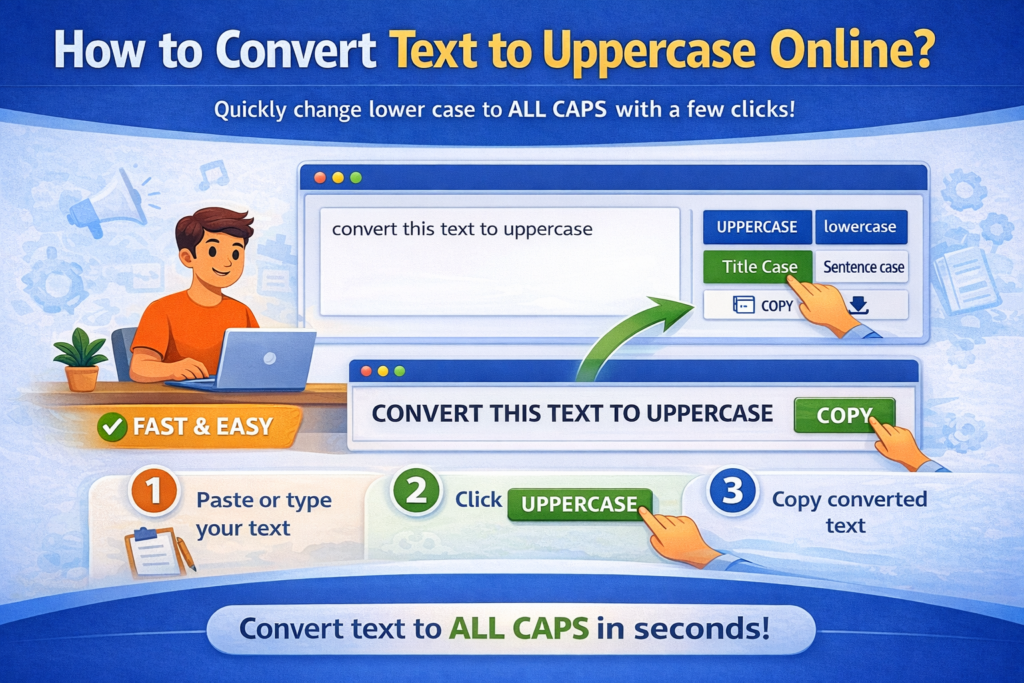
The fastest method is using a browser-based case converter tool. Here’s how it works:
Step 1: Paste or Type Your Text
Copy your text and paste it into the input box. You can also type directly.
Step 2: Click “UPPERCASE”
Select the uppercase option. The tool instantly converts all letters into capital form.
Step 3: Copy the Result
Click the copy button and paste the converted text wherever you need it.
That’s it no manual editing, no shortcuts to remember.
Why Not Just Use Keyboard Shortcuts?
Yes, you can manually retype text in caps or use certain shortcuts in specific programs. But:
It doesn’t work the same in every application
It’s difficult with long paragraphs
It increases the chance of formatting errors
It wastes time
An online uppercase converter handles large blocks of text in seconds accurately and consistently.
Is It Safe to Convert Text Online?
Most modern case converter tools work entirely inside your browser. That means:
- Your text is not uploaded to a server
- No sign-up is required
- Nothing is stored
As long as the tool clearly states it runs in your browser and does not store data, it is safe for everyday use — even for professional content.
When Should You Avoid Using All Caps?
While uppercase can be powerful, it’s not always the best choice.
Avoid using ALL CAPS for:
- Long paragraphs
- Professional emails
- Blog body content
Why? Because large blocks of capital letters reduce readability and may feel like “shouting.”
Uppercase works best for short text — like headings, alerts, and labels.
Common Mistakes to Avoid
Here are a few things to keep in mind:
- Don’t overuse uppercase in blog posts
- Don’t convert proper formatting without checking context
- Avoid turning entire articles into caps
- Make sure it matches your design or style guide
Formatting should improve readability, not harm it.
Benefits of Using an Online Uppercase Converter
- Saves time
- Eliminates manual errors
- Works instantly
- Handles large text blocks
- No installation required
- Easy to use on mobile and desktop
It’s a simple tool but surprisingly helpful if you write or edit text regularly.
Final Thoughts
Converting text to uppercase online is one of the easiest formatting tasks you can automate. Whether you’re fixing copied content, styling a heading, or preparing text for emphasis, an online case converter makes the process fast and effortless.
Instead of manually editing each word, let the tool do the work in seconds and focus on what really matters: your content.
FAQs
Q: How can I convert text to uppercase online?
A: You can paste your text into an online case converter tool and click the “Uppercase” option. The text will instantly change into capital letters.
Q: Is converting text to uppercase free?
A: Yes, most online case converter tools are completely free and do not require registration.
Q: Does converting text to uppercase change the meaning?
A: No, it only changes the letter format, not the actual words or meaning.
Q: Can I convert large paragraphs to uppercase?
A: Yes, online tools can handle long text blocks instantly without manual editing.
Q: Is it safe to use an online uppercase converter?
A: If the tool works in your browser and does not store data, it is generally safe to use.
Read Also
- Best Ways to Clean Messy Text Online (Complete Guide for Fast Text Formatting)
- How to Remove Special Characters from Text Easily
- Social Media Character Limits Explained (Complete Guide)
- Character Counter vs Word Counter: What’s the Difference?
- Why Word Count Matters in Content Writing
- Word Count Tips for Bloggers and Students
- Best Free Word Counter Tools for Writers
- How to Count Words in an Essay Online
- What Is a Word Counter Tool and Why You Need It
- Difference Between Uppercase and Lowercase Text