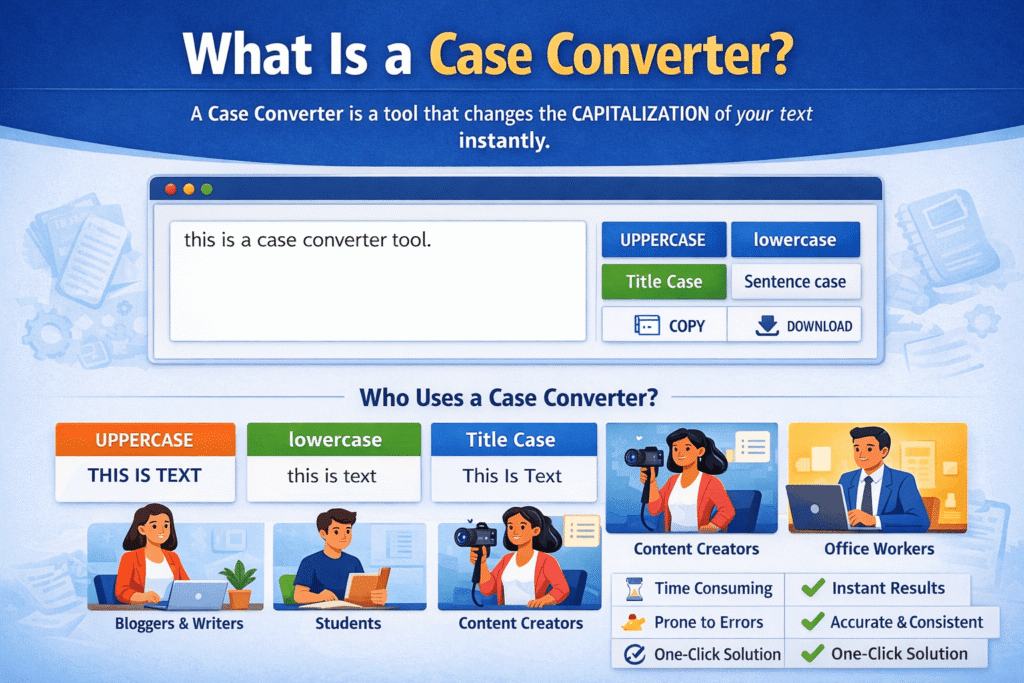
A Case Converter is an online text formatting tool that changes the capitalization style (text case) of your content without altering its meaning. It allows you to instantly convert text into formats like UPPERCASE, lowercase, Title Case, Sentence case, and several other variations with just one click.
In simple terms, a case converter helps you fix, clean, and standardize text formatting when capitalization is incorrect, inconsistent, or not suitable for its purpose.
Whether you are writing a blog post, editing an email, preparing study notes, or formatting social media captions, a case converter saves time and removes the need for manual editing.
Why Do People Need a Case Converter?
Capitalization issues are more common than most people realize. Some typical situations include:
Text copied from PDFs or websites that comes in ALL CAPS
Content typed in a hurry that ends up completely lowercase
Blog titles or headings with incorrect capitalization
Large text blocks that need consistent formatting
Repeated manual corrections that waste time
Manually fixing capitalization in long text is not only slow but also error-prone. A case converter solves this problem instantly by applying consistent rules across the entire text.
How Does a Case Converter Work?
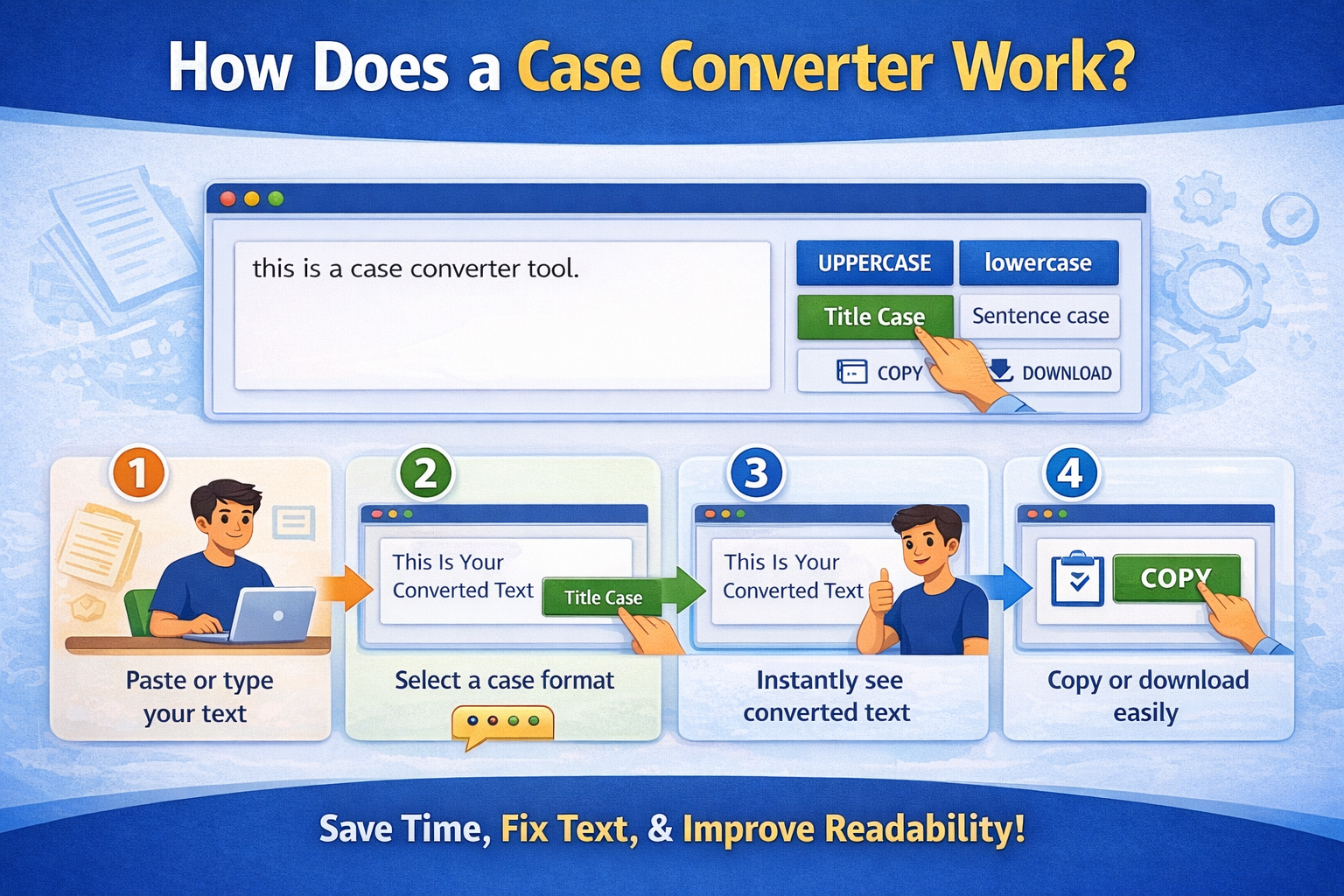
A case converter works using simple text-processing logic inside your browser:
- You paste or type your text into the input box
- You select a case format (Uppercase, Lowercase, Title Case, etc.)
- The tool applies predefined capitalization rules
- The converted text is generated instantly
Most modern case converters are browser-based, meaning:
- No sign-up is required
- No software needs to be installed
- Your text is not sent to any server
This makes them fast, lightweight, and privacy-friendly.
Common Text Case Formats Explained
Uppercase
All letters are converted into capital letters.
Example:this is a case converter → THIS IS A CASE CONVERTER
Best used for:
Warnings, labels, emphasis text, banners, short headings
Lowercase
All letters are converted into small letters.
Example:This Is A Case Converter → this is a case converter
Best used for:
Raw text cleanup, coding-related text, normalization
Title Case
The first letter of each important word is capitalized.
Example:what is a case converter → What Is a Case Converter
Best used for:
Blog titles, article headings, YouTube titles, page titles
Sentence Case
Only the first letter of the sentence is capitalized, while the rest remains natural.
Example:this tool is very useful. → This tool is very useful.
Best used for:
Paragraphs, emails, descriptions, professional writing
Other Case Formats
Many advanced case converters also support:
Toggle Case
Inverse Case
Camel Case
Snake Case
Kebab Case
These formats are especially useful for developers and technical writers.
Who Uses a Case Converter?
A case converter is not limited to one type of user. It is widely used across different professions and needs:
Bloggers and SEO Writers
Formatting blog titles correctly
Maintaining consistent capitalization across articles
Improving readability and presentation
Students
Cleaning assignments and notes
Formatting headings and paragraphs properly
Saving time during revisions
Content Creators and YouTubers
Writing clean video titles and descriptions
Fixing inconsistent capitalization in bulk text
Developers
Formatting text snippets
Working with camelCase, snake_case, or kebab-case
Cleaning copied text from documentation
Office Professionals
Editing emails and documents
Maintaining a professional writing style
Case Converter vs Manual Editing
| Manual Editing | Case Converter |
|---|---|
| Time-consuming | Instant results |
| High chance of mistakes | Consistent output |
| Repetitive work | One-click solution |
| Frustrating for long text | Effortless even for large text |
This is why most people prefer a case converter over manual capitalization.
Is a Case Converter Useful for SEO?
Yes, indirectly but importantly.
Proper capitalization:
- Improves readability
- Makes headings look professional
- Enhances user experience
- Can increase engagement and CTR
For example:
- Blog titles written in Title Case look more clickable
- Paragraphs in Sentence case are easier to read
- Clean formatting reduces bounce rate
While capitalization alone does not rank a page, it supports better content quality, which is a key SEO signal.
Is It Safe to Use a Case Converter?
Most good case converters:
- Work entirely in the browser
- Do not store or track your text
- Do not require login or personal data
As long as the tool clearly states that it does not store user input, it is considered safe for everyday use, including professional and academic content.
Key Benefits of Using a Case Converter
- Saves time and effort
- Eliminates manual capitalization errors
- Ensures consistency across content
- Improves readability and presentation
- Works instantly without downloads
Even though it looks like a simple tool, a case converter plays a big role in everyday writing tasks.
Final Thoughts
A Case Converter is a small but powerful text formatting tool designed to make writing easier, cleaner, and more professional. From fixing a single sentence to formatting an entire article, it helps users achieve consistent capitalization in seconds.
If you frequently write content, edit text, or work with large amounts of written material, using a case converter is not just convenientit is practical. Over time, it becomes one of those tools you rely on without even realizing how much time it saves.
In short, a case converter turns messy text into clear, readable, and well-formatted content with minimal effort.
FAQs
Q: What is a case converter?
A: A case converter is an online tool that changes the capitalization format of text, such as converting it to uppercase, lowercase, title case, or sentence case.
Q: How does a case converter work?
A: It processes your text and applies predefined capitalization rules to instantly change the letter format without altering the meaning.
Q: Is a case converter free to use?
A: Most online case converters are completely free and do not require registration or downloads.
Q: Does a case converter store my text?
A: Many browser-based case converters do not store or save your text, making them safe for everyday use.
Q: What text formats can a case converter change?
A: A case converter can typically change text into uppercase, lowercase, title case, sentence case, camel case, snake case, and more.
Q: Can I convert large paragraphs using a case converter?
A: Yes, most tools allow you to convert long text blocks instantly without manual editing.
Q: Is using a case converter better than manual editing?
A: Yes, it saves time, reduces errors, and ensures consistent formatting across your content.
Q: Who should use a case converter?
A: Bloggers, students, developers, writers, and professionals who regularly format text can benefit from using a case converter.
Q: Does capitalization affect SEO?
A: Capitalization itself does not directly affect rankings, but proper formatting improves readability and user experience.
Q: Can I use a case converter on mobile devices?
A: Yes, most modern case converters work smoothly on both desktop and mobile browsers.
Read Also
- Best Ways to Clean Messy Text Online (Complete Guide for Fast Text Formatting)
- How to Remove Special Characters from Text Easily
- Social Media Character Limits Explained (Complete Guide)
- Character Counter vs Word Counter: What’s the Difference?
- Why Word Count Matters in Content Writing
- Word Count Tips for Bloggers and Students
- Best Free Word Counter Tools for Writers
- How to Count Words in an Essay Online
- What Is a Word Counter Tool and Why You Need It
- Difference Between Uppercase and Lowercase Text